
4:47 p.m.
You're parked outside a showing, engine still running.
Your buyer has texted twice: “Any news on the inspection?”
You scroll past three other threads, a calendar alert, a photo of a sticky note.
The inspection window closes Friday. Or was it Thursday?
The next clients are walking up the driveway.
That's what HomeAxis is for.
HomeAxis Pro
End-to-end product design for a patent-pending, mobile-first app that helps real estate agents run every deal from accepted offer to closing day with a repeatable playbook.

A deal held together by memory
Once an offer is accepted, the agent becomes the project manager for dozens of steps: inspection, appraisal, mortgage commitment, attorney review, title, closing. Every one has a date written into the contract, and every one sends the client's anxiety up a notch.
It works until an agent has four or five deals open at once. Then a date slips, a client has to chase for news, and the agent spends the evening rebuilding the week from their inbox.
One place that already knows what's next.
HomeAxis is a mobile transaction manager for real estate agents. You open a deal, enter the contract dates, and the whole contract-to-close playbook appears: every task, every deadline, every client update, already in order.
Back in that car outside the showing, the question changes. It's no longer “what am I forgetting?” It's “what's next?” And the app answers it on the first screen.
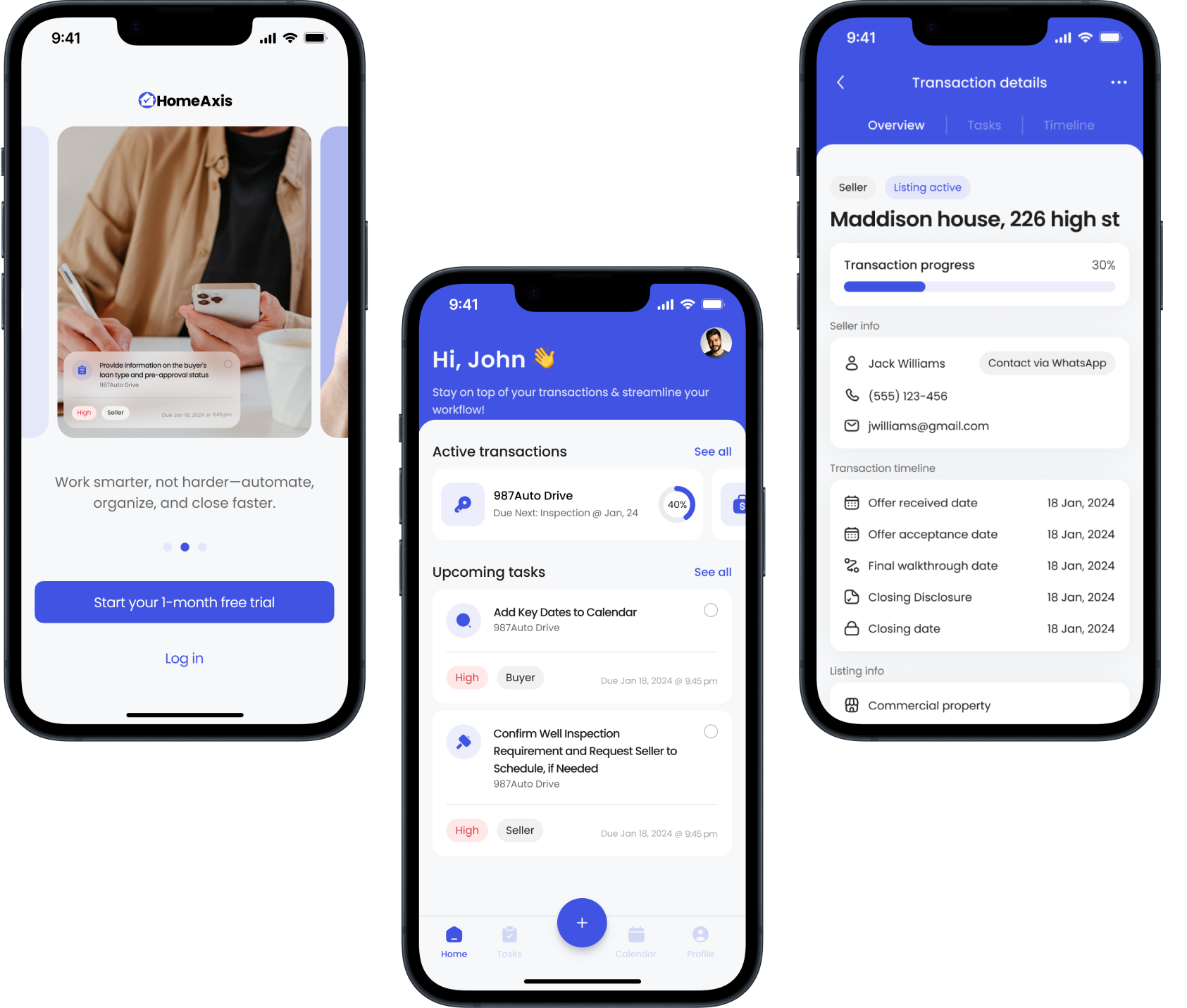
Built for the agent in the car, with thirty seconds before the next client walks up.
The playbook builds itself from the contract
Remember “Friday. Or was it Thursday?” Agents don't lose track of tasks so much as dates. Every step in a deal hangs off a date the contract sets.
Opening a deal starts with the contract dates. From those, the playbook fills in every task and deadline automatically, so the first thing an agent sees is a timeline that's already done, not an empty board.
An empty dashboard asks a busy agent to become a project planner on every deal. A filled playbook moves them straight to doing the work.
Client updates go out on their own, in the agent's voice
Remember the buyer who texted twice? Clients don't need every detail. They need to hear something before they have to ask.
When an agent marks a milestone complete, a status text goes to the client and co-broker automatically, from the agent's own number. The agent owns the template; the app owns the timing.
A message from a no-reply system feels like a receipt. A message from your agent feels like care.
Ready on day one, yours by deal ten
A new agent wants to get started tonight. A veteran has run deals her own way for fifteen years. Both open the same app.
A ready-made playbook that works out of the box, plus a Workflow Wizard for agents who want to build their own once they're comfortable.
Asking for setup up front loses new users; locking the template loses experienced ones. A default plus an optional wizard meets each agent where they are.
Built for thirty seconds, not thirty minutes
Back to the driveway. The agent has one glance and one thumb before the next client reaches the door.
Interactions that respect a 30-second window: one tap to complete a task, one glance to understand where a deal stands.
For this user, mobile isn't a smaller desktop. It's the whole office.
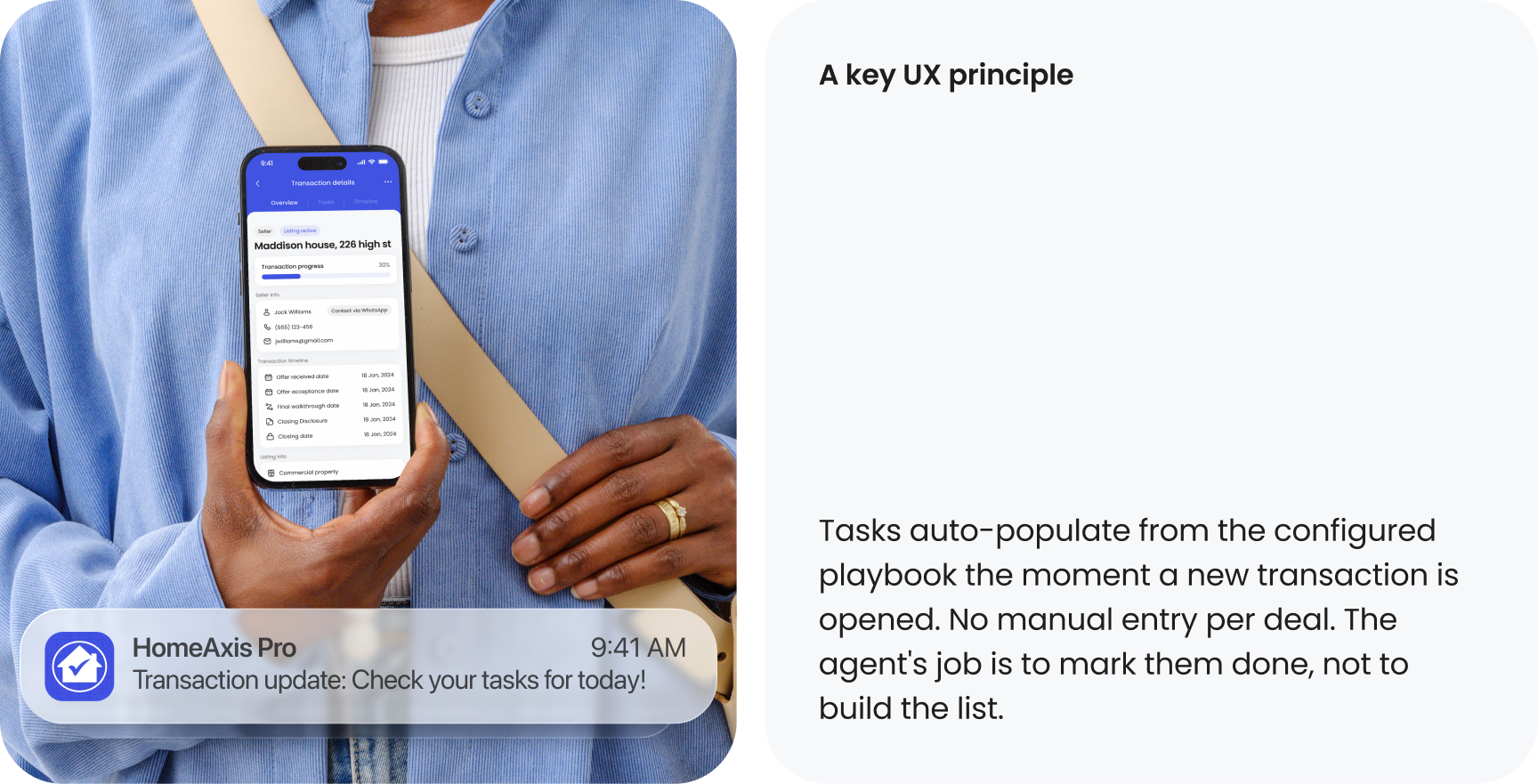
Where it is now
What I learned
Designing for agents meant designing for thirty-second windows between appointments.
The auto-texts only help if the agent never has to babysit them.
Opinionated defaults with room to customize later outperform blank-canvas tools.
What I'd do next
4:47 p.m.
Same driveway. Your buyer already knows the inspection is done; your text reached them an hour ago.
You check what's next, tap once, and step out of the car before the clients reach the door.